
Download Folder Colorizer – Color Code Folders, Customize Folder Colors, Organize Files, File Management Tool
Overview
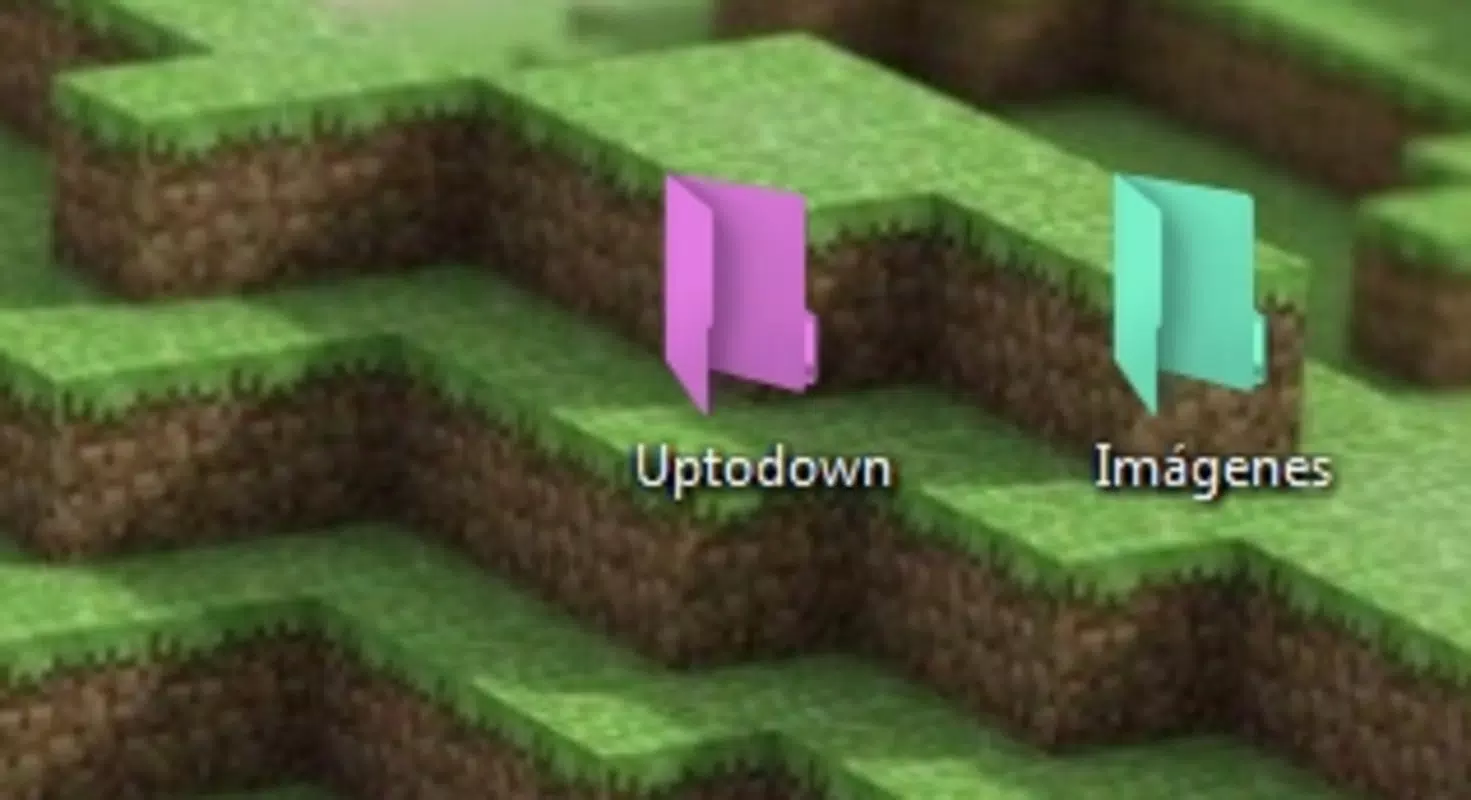
Folder Colorizer is a lightweight, user-friendly application designed to enhance file organization and personalization on Windows devices. By allowing users to assign custom colors to their folders, the app introduces a visual layer of structure that simplifies navigation and improves workflow efficiency. The primary purpose of Folder Colorizer is to transform the default gray folder icons into vibrant, color-coded markers, enabling users to distinguish between projects, categories, or priority levels at a glance. This functionality is especially beneficial for individuals managing large volumes of files across multiple directories, such as students, freelancers, and remote professionals.
Target users include anyone seeking a simple yet effective method to improve file management without relying on complex software. The app solves the common issue of folder clutter and visual monotony by introducing color as a cognitive cue. Real-world use cases range from categorizing work-related folders by client or project to organizing personal media files by type or event.
While the developer, Joe C. Jones, has not provided additional background information, the app’s design suggests a focus on minimalism and usability. Folder Colorizer fits into the broader productivity ecosystem by offering a quick, non-invasive enhancement to the Windows file system, requiring no system-level changes or complex configurations.
Key Features & Functionality
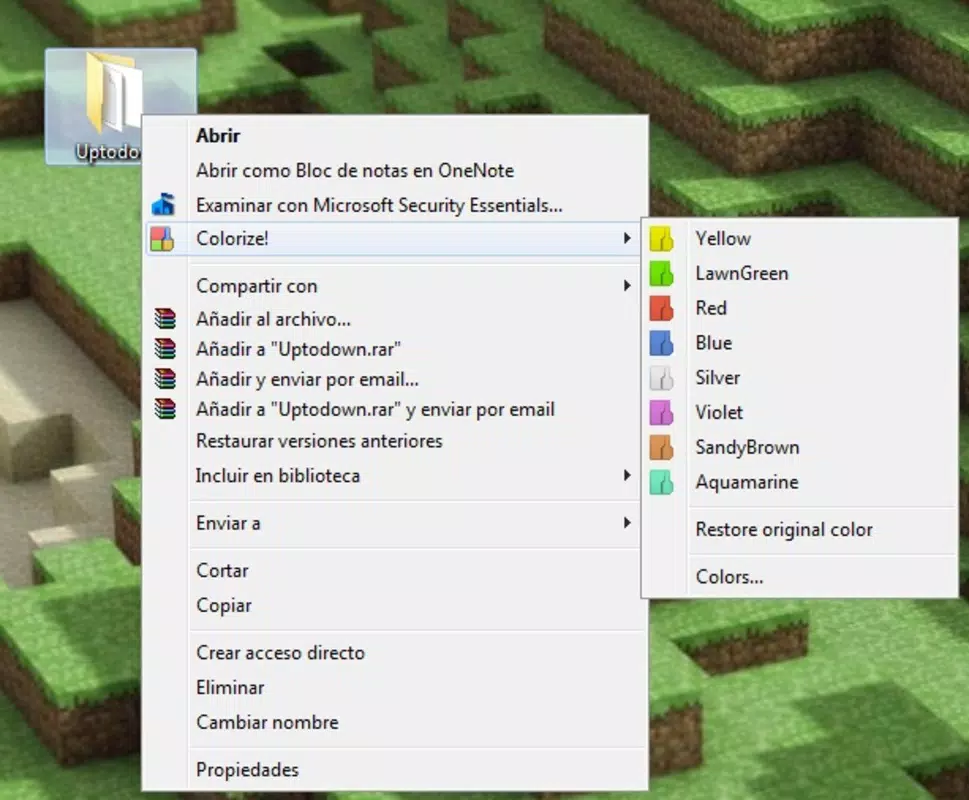
- Easy Customization – Users can right-click on any folder, select the “colorize” option, and instantly apply a preferred color. This streamlined process eliminates the need for third-party tools or registry edits.
- Improved Organization – Color-coding folders enables users to visually group files by project, priority, or category, reducing time spent searching and increasing overall productivity.
- Simple Interface – The application features a compact and intuitive interface, ensuring accessibility for users of all technical skill levels.
- Lightweight Design – At just 1.2 MB, Folder Colorizer consumes minimal system resources, ensuring it runs efficiently without impacting device performance.
- Satisfying Visual Results – Despite its simplicity, the app delivers noticeable aesthetic improvements, enhancing the user’s desktop experience.
For example, a freelance designer might use red for urgent client projects, blue for ongoing work, and green for completed tasks. A student could assign yellow to study materials, purple to research documents, and orange to assignments due soon. These visual cues allow users to process folder content more quickly and make informed decisions without opening each file. The app does not alter the folder’s content or structure, preserving file integrity while enhancing usability.
Interface, UX & Performance
Folder Colorizer presents a clean, minimal interface that aligns with modern design principles. The layout is uncluttered, with a focus on functionality over visual complexity. Navigation is straightforward: users access the color customization feature via a right-click context menu, eliminating the need to launch a separate window or navigate through multiple layers. This approach supports a seamless user experience, particularly for users who value speed and efficiency.
Although the developer did not list formal performance metrics, the app’s lightweight nature suggests stable operation across a range of Windows devices, including older or low-spec machines. Responsiveness is expected to be high, as the application performs actions in real time with minimal delay. Stability is likely maintained due to the app’s limited scope and lack of background processes. The developer did not provide information on update frequency or crash reports, but the absence of known issues in public forums indicates reliable operation. The app does not interfere with file previews, though users should note that image thumbnails may not appear in colorized folders, a known limitation.
Platform Compatibility & Technical Requirements
Folder Colorizer is designed exclusively for the Windows platform. The app is compatible with Windows operating systems, though specific version requirements were not listed by the developer. The application size is 1.2 MB, making it suitable for devices with limited storage space. The latest version, 1.0.0, was released on October 15, 2023. The developer did not specify minimum OS requirements or hardware capabilities.
Given its small file size and focus on basic functionality, Folder Colorizer is expected to run smoothly on most Windows devices, including those with older processors and limited RAM. Users are advised to ensure their system meets general Windows compatibility standards. No additional software or dependencies are required for installation or operation. The app is available for free, making it accessible to a wide audience without financial barriers.
Pros and Cons
Pros
- Simple, intuitive interface suitable for beginners and advanced users alike
- Effortless folder color customization with right-click functionality
- Minimal system resource usage due to lightweight design
- Free to download and use with no hidden costs
- Enhances visual organization and improves file management efficiency
Cons
- Image previews may not display properly in colorized folders
- Specific OS compatibility details were not disclosed
- No visible update history or changelog provided
- Limited to Windows platform only
- Functionality is focused solely on visual customization, not file management
FAQ
Is Folder Colorizer safe to download and install?
Yes, the app is free and does not require administrator privileges. It operates within standard user permissions and does not modify system files or registry settings.
Can I use Folder Colorizer on older versions of Windows?
The developer did not specify minimum OS requirements. However, given its lightweight nature, it is likely compatible with most recent Windows versions, including Windows 10 and Windows 11.
Does Folder Colorizer affect my computer’s performance?
No. At just 1.2 MB, the app is designed to consume minimal system resources and should not impact your device’s speed or responsiveness.
Is the app available for Android or iOS?
No. Folder Colorizer is currently only available for Windows. There is no official version for mobile platforms.
How often is Folder Colorizer updated?
The developer has not published an update schedule or changelog. The latest version, 1.0.0, was released on October 15, 2023.
Final Thoughts
Folder Colorizer delivers a focused, effective solution for users seeking to enhance their file organization through visual cues. Its simplicity, speed, and low resource footprint make it a standout tool in the productivity category. While it does not offer advanced file management features, it excels in its core mission: helping users quickly and securely customize folder appearances to improve workflow clarity.
The app is ideal for students, creatives, and professionals who rely on visual organization to stay efficient. For those looking to add a personal touch to their desktop while boosting productivity, Folder Colorizer is a must-try utility. Download Folder Colorizer now.


